From a PDF to a conversion plan in three steps.
No retyping, no upload, no account. Open the file, drop in a return, and you're modeling the conversion in minutes.
Drop in a prior-year 1040
Open the calculator and drop a text-based 1040 PDF onto the import area. The importer locates the standard IRS line numbers and reads roughly seventeen income and deduction figures — wages, interest, dividends, capital gains, IRA distributions, AGI, taxable income, and more.

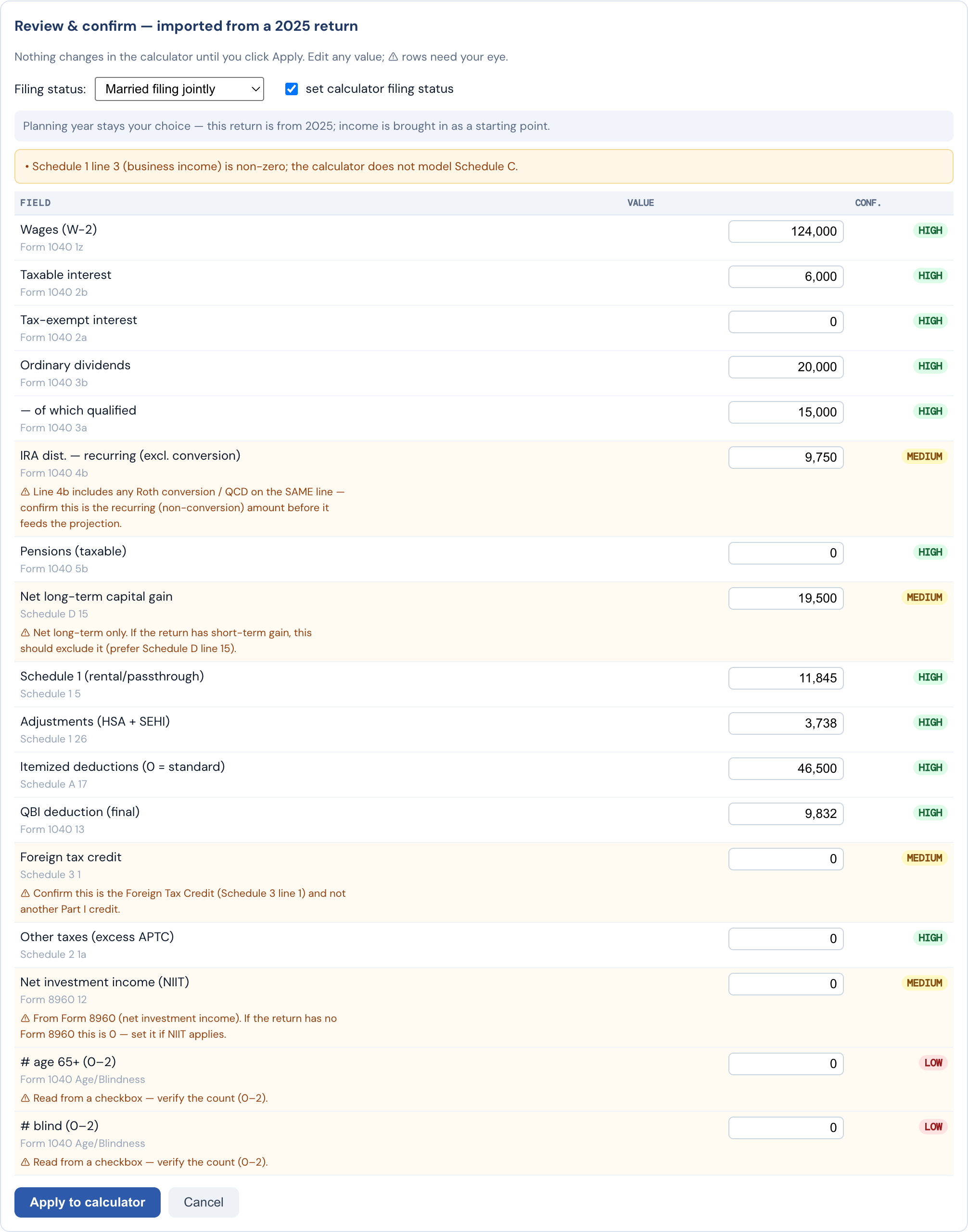
Review & confirm what it read
Nothing auto-populates blindly. A Review & Confirm panel shows every value the importer read, with a confidence flag on each. Four sensitive fields — IRA distribution treatment, long-term capital gains, net investment income, and filing status — never auto-commit. You approve the mapping before it touches the model.
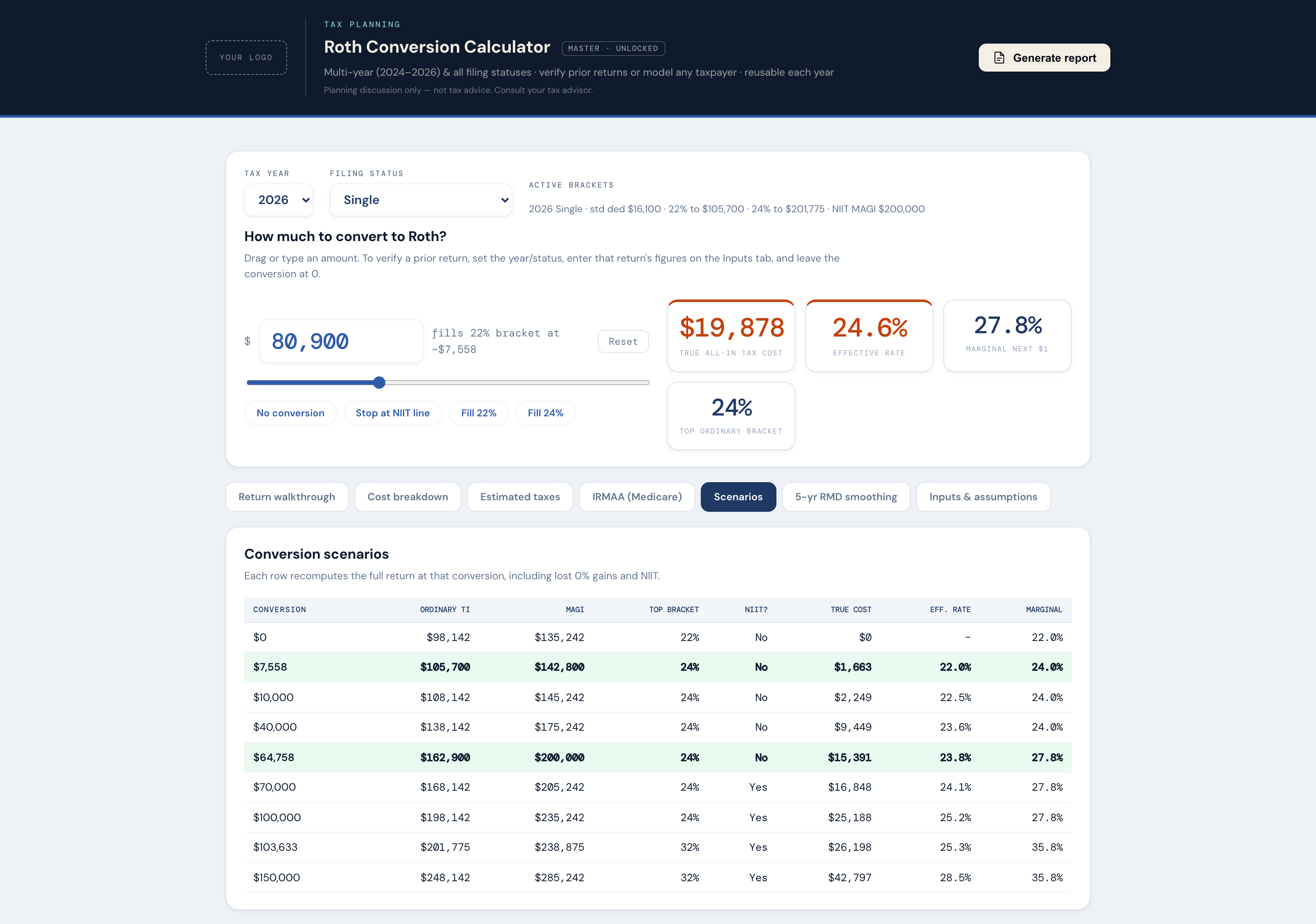
Model the conversion
Once the figures are in, the calculator shows the conversion picture: how much room is left in the current bracket, where the next IRMAA tier sits, and how the conversion interacts with net investment income tax. Then generate a clean, branded report for the client conversation.